
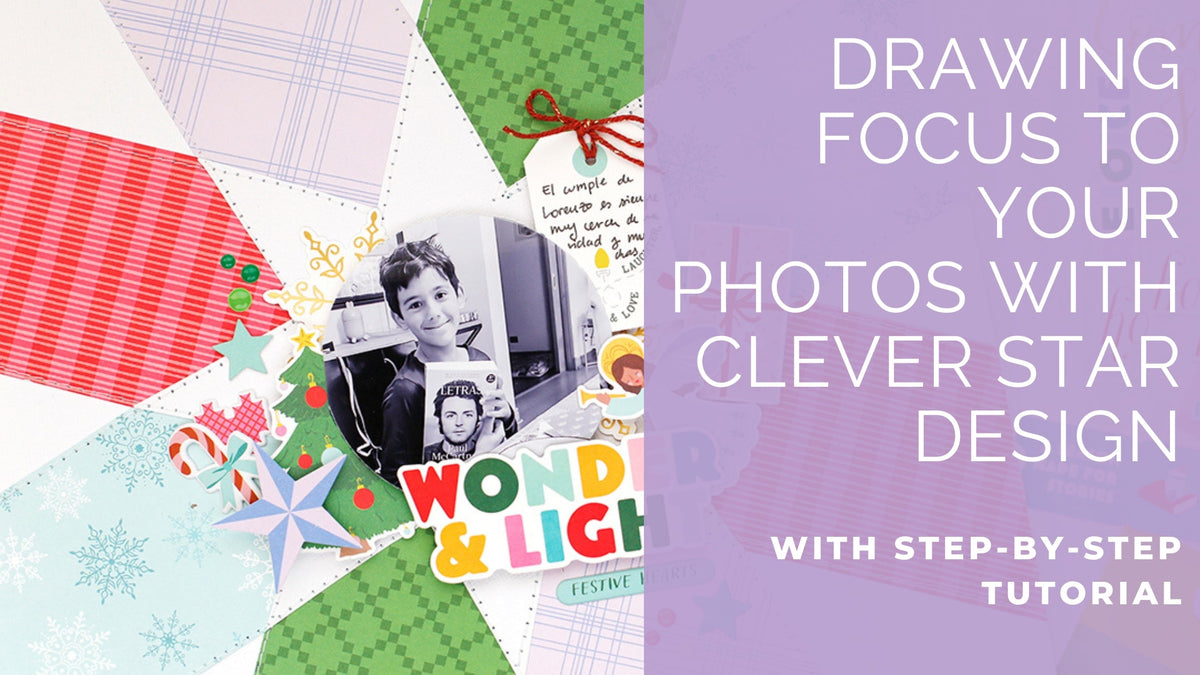
Hello everyone! Eva here on the blog today, sharing another Christmas-inspired project using the Very Merry Christmas collection.
The inspiration for this layout came from those beautiful wooden stars! I especially loved the eight-point star and thought it would be fun to recreate a large star as the focal point of the page. Keep reading to see how I brought this idea to life!
*Disclaimer: All products used are linked below as clickable images. If a product isn’t listed, it’s been discontinued.


Step-by-Step Instructions
- Print an eight-point star. Mine measures 7 ¾ inches wide.
- Cut out the star and trace it onto white cardstock.
- Adhere the cardstock star to the center of your layout, leaving the tips of the points unglued.
- Add patterned papers behind the star. I used 3-inch-wide paper strips.
- Use a sewing machine to stitch along the edges of the star and the paper strips for added texture.
- Place your photo in the center and add the title.
- Decorate with ephemera pieces and small puffy stickers.
- Finish the layout with enamel dots and a journaling spot.
Tip: Try running your paper strips through a decorative border die before placing them behind the star. This small detail adds extra texture and interest to the design.
Thanks so much for stopping by today!
I hope this project inspires you to create your own festive layouts
Eva

Leave a comment
All comments are moderated before being published.
This site is protected by hCaptcha and the hCaptcha Privacy Policy and Terms of Service apply.